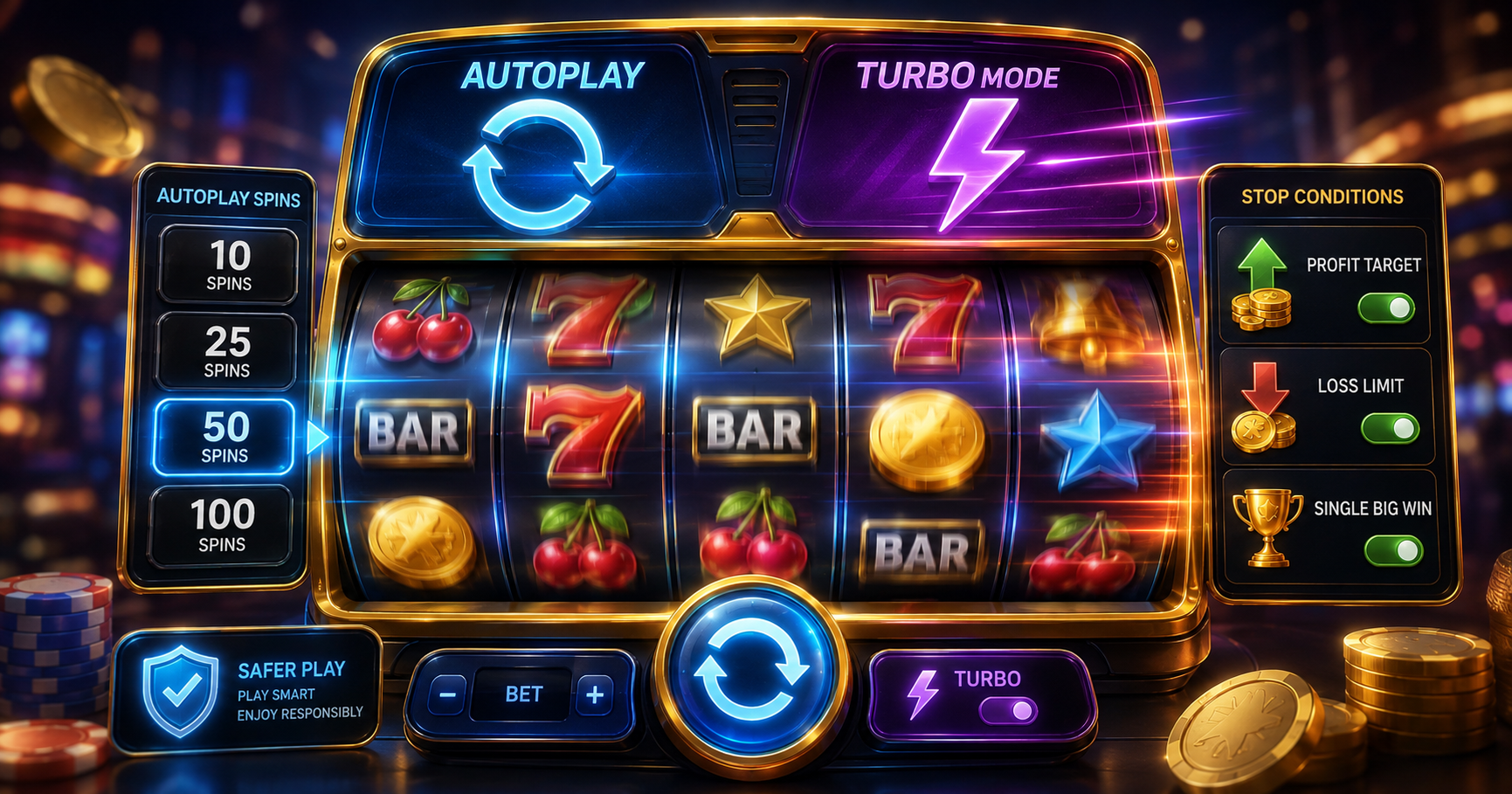
Some online slots include autoplay, which can start a selected sequence of paid spins, and Turbo or Quick Spin, which can shorten parts of the reel animation. These controls affect how spins are started or displayed. They do not guarantee a winning combination, make a random result more favourable or remove the cost of each paid spin.
Automatic play can make it easier to lose track of the number of completed rounds because one confirmation may lead to many spins. A faster display can also increase the number of paid spins completed within the same period. Availability varies by title, provider, platform and location, and some regulated markets prohibit autoplay or speed-related controls.
This Play88 guide explains how slot autoplay and turbo mode generally work, how spin counts and stop conditions are applied, what happens when a feature begins, and how to calculate the amount committed before starting. If you are new to reels, symbols and payout rules, begin with Online Slots for Beginners. Review current titles and provider information on the Play88 Online Slots Malaysia page.
Manual Spin, Autoplay and Turbo Mode Compared
Autoplay and turbo mode are separate controls. Autoplay determines how future spins are started. Turbo, Quick Spin or a similar speed setting determines how quickly the reels or result animation is displayed. A title may provide one control, both controls or neither.
| Control | What it generally does | What remains payable | Main point to monitor |
|---|---|---|---|
| Manual spin | Requires a separate confirmation for each paid base-game spin. | The displayed total bet for every confirmed spin | The stake before each confirmation |
| Autoplay or Auto Spin | Starts a selected sequence of spins under the current settings. | The total bet for each accepted paid spin | Spin count, stop rules and total cost |
| Turbo or Quick Spin | Shortens or simplifies parts of the reel animation. | The same displayed stake per spin unless the rules state otherwise | How quickly paid spins are completed |
| Skip screens | May shorten introductions, feature summaries or transition screens. | Any paid base-game spins already accepted | Whether important result information remains visible |
| Spin-stop control | May stop a reel animation or an automatic sequence, depending on the title. | A spin already accepted by the game | Whether it stops the display, future spins or both |
Labels are not standard across every provider. Open the in-game information page to confirm what the selected control changes before using a paid balance.
How Does Slot Autoplay Work?
Where available, autoplay usually opens a menu containing a number of automatic spins and possibly additional stop conditions. After the player confirms the settings, the game starts each spin in sequence until the selected number finishes, a valid stop condition is reached or the sequence is stopped manually.
| Stage | What generally happens | What to check |
|---|---|---|
| 1. Set the total bet | The selected stake is prepared for each paid spin. | The currency amount, not only a coin or level number |
| 2. Open autoplay | The game displays its available automatic settings. | Whether autoplay is available for this title and location |
| 3. Select a spin count | A fixed number of future spins is chosen. | The maximum amount that count could stake |
| 4. Configure stop rules | Optional win, loss, balance or feature conditions may be set. | How each condition is defined and measured |
| 5. Confirm the sequence | The first paid spin is accepted and the count begins to decrease. | That no bet or feature setting changed before confirmation |
| 6. Monitor the spins | Results settle one by one under the game’s rules. | Remaining spins, balance and active settings |
| 7. Stop or complete | The sequence ends manually or under a configured condition. | That no further paid spin is pending |
Stopping autoplay normally prevents future spins from starting. It may not cancel a spin that the game has already accepted. Wait for the current result to settle and confirm that the automatic counter is no longer active.
What Does an Automatic Spin Count Mean?
The spin count is the maximum number of base-game spins the selected sequence can start before considering earlier stop conditions. If 25 auto-spins are selected, the game can start up to 25 paid spins at the current total bet.
The count is not a promise that every spin will run. The sequence may end early because the player presses Stop, the balance becomes insufficient, a configured limit is reached, a bonus feature pauses the game or a technical interruption occurs.
Check how the counter treats:
- A paid base-game spin that triggers a bonus feature.
- Free spins awarded inside a slot feature.
- Respins or cascades that continue from one paid spin.
- A spin that is accepted before the Stop button is pressed.
- A disconnected round that later settles in game history.
Feature spins, respins and cascades may belong to one paid round rather than reducing the auto-spin counter separately. The exact counting rule is title-specific. The guide to free spins, respins and Hold and Win features explains how these sequences can differ.
How Do Autoplay Stop Conditions Work?
An autoplay menu may provide rules that stop the sequence before the selected count finishes. These controls can help define a sequence, but their labels and calculations differ. Do not assume that a condition measures net session profit, total wins or total losses in the way you expect.
| Stop condition | What it may mean | Question to answer before starting |
|---|---|---|
| Number of spins | Stops after the selected number of paid spins has been started or completed. | Does the counter decrease at acceptance or settlement? |
| Loss limit or balance decrease | Stops when the measured loss or balance reduction reaches a selected amount. | Is it based on net loss, gross stakes or another calculation? |
| Win limit or balance increase | Stops after a defined increase from the sequence’s starting balance. | Are stakes and previous spin results included? |
| Single-win amount | Stops after one settled spin reaches the selected win value. | Is the value gross return or net profit? |
| Bonus feature | May pause or end autoplay when a feature is triggered. | Does the feature require a separate confirmation? |
| Insufficient balance | Stops when the next selected total bet cannot be accepted. | Could a lower balance still support another feature or stake setting? |
| Manual Stop | Prevents additional spins after the current accepted round. | Has the button visibly returned to its inactive state? |
A stop condition is not a guarantee that an exact financial limit will never be exceeded. The result that triggers the stop still has to settle, and an accepted spin usually cannot be reversed. Set a personal limit below the maximum amount available and keep the screen visible throughout the sequence.
How Do Turbo and Quick Spin Modes Work?
Turbo mode, Quick Spin, Fast Play and similar settings usually shorten the reel movement, transition or result display. They generally do not skip the accepted game result itself. The symbols and award are still determined and settled under the title’s rules.
| Detail | Standard display | Turbo or Quick Spin display |
|---|---|---|
| Reel animation | Uses the title’s regular reel and transition timing. | May shorten reel movement or some transitions. |
| Stake per spin | Uses the displayed total bet. | Generally uses the same displayed total bet. |
| Result calculation | Uses the title’s stated outcome system. | Generally uses the same system; only the display pace changes. |
| Time to review | Provides more time between manual confirmations. | Can reduce the time available to notice balance changes. |
| Spins per minute | Usually lower when each spin is confirmed manually. | Can be higher, especially when combined with autoplay. |
| Availability | Common default where the title is offered. | May be disabled by provider, platform or regional rules. |
A shorter animation does not improve the chance of a winning combination. Its main practical effect is pace. If more spins are completed in the same period, the balance can change more quickly even though the stake per spin is unchanged.
How Do You Calculate the Total Cost of Auto-Spins?
The maximum base-game amount assigned to a fixed autoplay sequence can be estimated before any returns are considered:
Maximum amount staked = total bet per paid spin × selected auto-spin count
| Total bet per spin | Selected auto-spins | Maximum base-game amount staked |
|---|---|---|
| MYR 0.20 | 25 | MYR 5.00 |
| MYR 0.50 | 50 | MYR 25.00 |
| MYR 1.00 | 50 | MYR 50.00 |
| MYR 2.00 | 100 | MYR 200.00 |
These examples show gross stakes, not expected losses or returns. A sequence may end early, and settled awards can change the balance between spins. Optional feature bets, ante bets or bonus purchases can also change the amount charged, so use the total bet displayed immediately before confirmation.
A lower stake does not make a long sequence harmless. Multiplying the stake by the intended spin count shows the potential financial commitment more clearly than looking at one spin alone.
Do Autoplay or Turbo Mode Change RNG, RTP or Volatility?
For a random-number-based online slot, each accepted spin is generally determined independently under the title’s stated random number generator. Autoplay submits spins in sequence; turbo mode shortens the display. Neither control should be treated as a way to predict or improve the next result.
RTP is a theoretical long-term percentage across a very large number of rounds. Completing spins automatically or more quickly does not make a short session converge to that percentage. Read What Is RTP in Slot Games? for a fuller explanation.
Volatility describes how awards may be distributed, not the speed of the reels. Turbo mode can make the balance feel more volatile because results appear faster, but it does not normally change the game’s mathematical volatility. Review the Play88 slot volatility guide when comparing low-, medium- and high-volatility titles.
Exceptions must be disclosed in the game information. If activating a setting also changes the total bet, feature eligibility, paytable, RTP or maximum award, treat it as a different configuration and review the revised rules before continuing.
What Happens When a Bonus Feature Starts During Autoplay?
A feature trigger can affect autoplay in several ways. The automatic sequence may pause for a separate confirmation, continue after the feature ends, stop completely or skip introductory screens if that option was selected. None of these behaviours is universal.
Before starting autoplay, check:
- Whether a free-spins or respin feature pauses the automatic sequence.
- Whether feature spins reduce the remaining auto-spin count.
- Whether autoplay resumes automatically after the feature summary.
- Whether a Skip Screens setting hides only animation or also shortens result displays.
- Whether an enhanced feature bet remains active for every automatic base-game spin.
- Whether a bonus purchase can be repeated automatically or requires a separate confirmation.
A feature award does not make the remaining autoplay spins more likely to win. Once the feature ends, later spins continue under the active title settings.
Why Might Autoplay or Turbo Mode Be Unavailable?
A control can be absent even when screenshots or another version of the same game show it. Availability can depend on the provider build, platform settings, device, account location and applicable regulatory requirements.
Some regulated markets require each online game cycle to be confirmed individually and do not permit autoplay. Speed-related controls can also be restricted. These rules are jurisdiction-specific and should not be assumed to apply identically everywhere.
If autoplay or turbo mode is not visible:
- Check the current title’s information and settings menu.
- Confirm that the same game version is being compared.
- Review the platform’s availability information for the account location.
- Do not use external software or another method to bypass a disabled control.
Participate only where legally permitted and use the features actually provided in the approved game interface.
What Happens If an Automatic Slot Sequence Is Interrupted?
A lost connection, app closure or game error does not necessarily void a spin. A round may already have been accepted and settled on the provider’s system even when the final reel animation was not shown.
| Situation | What may have happened | What to do |
|---|---|---|
| Connection fails before confirmation | The spin may not have been accepted. | Check the balance and history before trying again |
| Connection fails during reel animation | The accepted result may already be determined or settled. | Reopen the same title and review the completed round |
| Autoplay sequence disconnects | The current spin may settle while later spins may stop. | Confirm the remaining count and active status after reconnecting |
| Bonus feature is interrupted | The feature state may be restored or completed under provider rules. | Return to the game and check feature and transaction history |
| Balance appears incorrect | A result may be pending or the display may not have refreshed. | Record the title, time and round ID before contacting support |
Do not repeatedly press Spin after an interruption. Confirm whether the previous round was accepted first to avoid starting an unintended additional paid spin.
What Should You Check Before Using Autoplay or Turbo Mode?
| Item | What to confirm |
|---|---|
| Game title and version | The exact rules, RTP, volatility and feature configuration in use |
| Total bet | The currency amount charged for each paid spin |
| Spin count | The maximum number of automatic base-game spins selected |
| Maximum amount staked | Total bet multiplied by the selected spin count |
| Stop conditions | How loss, win, balance and feature rules are calculated |
| Persistent features | Whether an enhanced bet or other paid option remains active |
| Turbo or Quick Spin | Which animations change and how to switch the setting off |
| Stop button | Where it is and whether it stops future spins only |
| Personal limits | The spending and time limits set before the sequence |
| Availability | That the feature is permitted and supported for the current title and location |
Repeat the check after changing the stake, feature bet, game title or device. A familiar control can behave differently in another provider’s interface.
Common Slot Autoplay and Turbo-Mode Mistakes
Checking Only the Cost of One Spin
The stake per spin can look small while the total for 50 or 100 spins is much larger. Calculate the maximum base-game amount before confirming the sequence.
Assuming Autoplay Improves the Odds
Autoplay changes how spins are started. It does not make a random-number-based slot remember previous results or create a more favourable next outcome.
Assuming Turbo Mode Changes the Paytable
Turbo mode generally shortens the display. It does not normally increase RTP, symbol values or bonus frequency. Check the game information for any stated exception.
Using a Stop Condition Without Reading Its Definition
A single-win limit, balance increase and net session profit are different measures. Confirm which calculation the title uses.
Changing the Bet While Autoplay Is Active
If a title allows the stake to change during a sequence, later spins may cost more than the original plan. Stop autoplay before adjusting the total bet or any paid feature option.
Leaving Automatic Spins Unmonitored
Autoplay can continue until the count or another condition is reached. Keep the game visible so changes in the balance, feature state and remaining count are noticed.
Increasing the Spin Count to Recover Losses
More spins do not guarantee recovery. They commit the balance to additional uncertain outcomes and can increase financial harm.
Practical Safer-Play Guidelines
Automatic and faster controls can reduce the pauses that normally provide time to review the stake and balance. Use clear limits that do not depend only on the game’s autoplay menu.
- Set a spending limit and a time limit before opening the game.
- Use only money not required for rent, food, bills or other essentials.
- Calculate the maximum amount for the complete auto-spin count.
- Use a shorter sequence while learning a title’s controls.
- Keep automatic play visible and monitor the remaining balance.
- Stop autoplay before increasing the stake or activating a paid feature.
- Turn off Turbo or Quick Spin if the pace makes it difficult to follow results.
- Do not continue or increase the spin count to recover previous losses.
- Use deposit limits, session reminders, cooling-off periods or self-exclusion when needed.
Stop participating if it becomes difficult to follow a spending or time limit. Visit the Play88 FAQ for general account, support and responsible-gaming information.
Frequently Asked Questions About Slot Autoplay and Turbo Mode
What is slot autoplay?
Slot autoplay is a control that, where available, starts a selected sequence of spins under the current game settings. Each accepted paid spin normally uses the displayed total bet until the count finishes or a valid stop condition ends the sequence.
Does autoplay change a slot’s odds or RTP?
Generally no. Autoplay changes how spins are submitted, not the random outcome rules or theoretical RTP. Check the exact game information for any configuration-specific difference.
What does slot turbo mode do?
Turbo, Quick Spin or a similar setting generally shortens reel movement or transition animations. It can increase the pace of completed spins but does not guarantee a better result.
Can the Stop button cancel the current slot spin?
Usually not once the spin has been accepted. The Stop button generally prevents future automatic spins or shortens an animation; the accepted round still settles under the game’s rules.
How much do 50 auto-spins cost?
Multiply the total bet per spin by 50. At MYR 0.50 per spin, the maximum base-game amount staked is MYR 25.00 before considering any returns or early stop condition.
What happens when a bonus begins during autoplay?
The sequence may pause, stop, continue after the feature or skip certain screens. Feature spins may not reduce the auto-spin count. Check the selected title’s rules because provider behaviour varies.
Why is autoplay unavailable in some slot games?
Availability can depend on the game version, provider, platform, device, account location and applicable regulation. Some markets require every game cycle to be confirmed individually and prohibit autoplay.
Use Automatic and Faster Controls With Clear Limits
Autoplay can submit a planned sequence of spins, while Turbo or Quick Spin can shorten the display. Before using either control, confirm the total bet, spin count, maximum amount staked, stop conditions, feature behaviour and the location of the Stop button.
Explore current slot categories and provider information through the Play88 Online Slots Malaysia page. Game availability, controls, RTP, volatility, stakes and feature rules may vary by provider, title, account and location.
This article provides general information and does not guarantee any result. Participate only where permitted by applicable law, meet all applicable age requirements and play responsibly.